Customer follow-up is often less about knowing what to say and more about managing everything around the conversation. Someone has to review the last interaction, find the right customer information, draft a message, update the CRM, create a task, and remember when to follow up again.
AI customer follow-up automation can take some of those repetitive steps off your team’s plate while keeping employees responsible for the customer relationship.
The scale of this kind of work is easy to see locally. According to the U.S. Bureau of Labor Statistics’ May 2025 Cleveland employment data, the Cleveland metropolitan area had 117,740 office and administrative support jobs, including 15,900 customer service representatives.
For Cleveland-area law firms, accounting firms, consultants, financial organizations, and other professional services businesses, AI does not have to replace personal communication to be useful. A well-designed workflow can handle routine preparation, reminders, record updates, and first drafts so your employees can spend more time on work that calls for experience, context, and judgment.
What Does an AI Customer Follow-Up Workflow Actually Do?
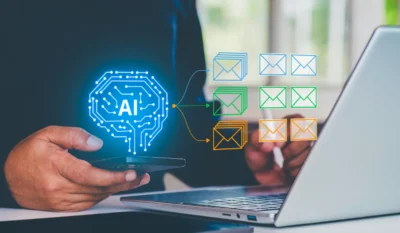
An AI follow-up workflow connects a business event to a defined set of actions.
Imagine that a prospective client submits a contact form. Your workflow might create or update the CRM record, summarize the inquiry, prepare a response, notify the appropriate employee, and schedule another task if the lead still needs attention later.
AI is useful for the parts of the process that involve interpreting or generating information. It can summarize notes, organize customer context, identify possible action items, categorize an inquiry, or prepare a draft. Standard workflow automation can handle predictable actions such as updating a record, creating a task, or sending an approved communication.
The difference is significant. Giving employees an AI writing tool may make individual tasks faster, but it does not create a consistent customer follow-up process. AI workflow automation connects those capabilities to the systems, triggers, and rules that move work forward.
Business adoption is growing, although AI use is still far from universal. The U.S. Census Bureau’s Business Trends and Outlook Survey reported a national AI use rate of 19.8% as of May 3, 2026. Finance and insurance businesses reported a higher rate of 33.9%. The Census Bureau’s updated AI supplement also measures use across 15 business functions, including customer service, marketing, finance, human resources, and information technology.
The useful question for your business, then, is not simply whether AI can write an email. It is which parts of your existing follow-up process are repetitive, well defined, and appropriate to automate.
Customer Follow-Up Workflows Your Team Can Automate With AI
Some workflows are better candidates than others. Look for processes that happen regularly, depend on information your systems already contain, and have a clear point where an employee should review or take over.
| Follow-Up Process | What AI Can Help With | Where Your Team Stays Involved |
|---|---|---|
| New lead response | Summarize an inquiry and prepare a response | Qualify the opportunity and manage the relationship |
| Meeting follow-up | Summarize notes and identify action items | Confirm commitments and sensitive details |
| Proposal follow-up | Review account context and prepare a draft | Decide timing, tone, and next sales action |
| Service follow-up | Prepare a closure or satisfaction message | Resolve complaints or continuing problems |
| Routine reminders | Add relevant context to recurring messages | Review exceptions and sensitive situations |
Follow Up With New Leads
Lead follow-up automation can remove several administrative steps from the beginning of your sales process.
When someone submits an inquiry, a workflow can organize the information provided, add it to the appropriate customer record, prepare a response, and create a task for the employee responsible for the lead. If your process routes different types of inquiries to different people, those rules can also be built into the workflow.
The employee still decides how to handle the opportunity. Instead of copying information between systems and starting every response from scratch, that person begins with the information already organized.
That distinction is worth protecting. AI can prepare the work, but your sales or client service team should remain responsible for decisions that depend on relationship history, fit, urgency, or professional judgment.
Turn Meeting Notes Into Follow-Up Tasks
A client meeting often creates almost as much work after it ends as it does during the meeting. Someone may need to document decisions, send a recap, request records, assign responsibilities, update a client file, and schedule the next conversation.
An AI follow-up workflow can help turn meeting notes into a draft summary and proposed action items. Automation can then use those approved action items to create tasks or prepare a follow-up message.
Consider an accounting firm finishing a client meeting with several document requests and deadlines. Rather than relying on someone to manually transfer every item into a task system later in the day, the workflow can prepare that work while the conversation is still fresh. An employee reviews the details before anything important is treated as final.
This same approach can work for consultants, law firms, insurance agencies, and other organizations where meetings regularly produce a list of next steps.
Keep Proposals And Quotes Moving
Proposals can sit without follow-up because there is no consistent process for reviewing what remains outstanding.
Customer follow-up automation can monitor the status of an open proposal and create a task after a predefined period. AI can use available account context to prepare a draft that reflects the previous discussion instead of producing the same generic reminder for every prospect.
The account owner then decides what comes next. An email may make sense in one situation. In another, the right move may be a call, a revised proposal, or additional time before contacting the prospect.
The workflow provides a prompt and useful context. Your employee provides the judgment.
Follow Up After Service Requests
Follow-up also matters after a customer service issue appears to be resolved.
A completed case can trigger a message asking whether the customer received what they needed. If the response indicates that the problem is continuing, the workflow can route the issue back to an employee rather than allowing it to remain closed.
This type of automation depends on more than a generated message. You need to define what starts the workflow, when the message is appropriate, what counts as a response, and what happens when the customer’s answer requires attention.
These “stop conditions” matter. A workflow that keeps sending messages after a customer has already responded is not saving anyone time.
Handle Routine Client Reminders
Appointment confirmations, renewal notices, document requests, scheduled reviews, and recurring check-ins can also fit into automated customer follow-up workflows.
AI can prepare language using the context available to it, while workflow rules determine when the communication should be created and what account information belongs with it.
Routine does not mean every message should be sent without review. A standard reminder may require little employee involvement after the process has been tested. A message involving a payment dispute, sensitive client matter, unusual account history, or other exception deserves closer attention.
Decide What AI Handles And What People Handle
A useful workflow needs clear boundaries.
AI can help organize information, summarize records, prepare routine communications, identify follow-up tasks, and suggest a next action. Employees should remain closely involved when the conversation requires negotiation, empathy, professional advice, or knowledge that is not reliably represented in the connected systems.
One practical approach is to set approval requirements according to risk. A routine appointment reminder may eventually be appropriate for automatic sending. A follow-up to a major client after a service problem may always require employee review.
You should also decide what happens when the workflow is uncertain. If required information is missing, the process can route the task to an employee instead of guessing. If a customer responds, the automated sequence should recognize that event and follow the appropriate next step.
That gives you the efficiency of automation without treating every customer interaction as interchangeable.
Build Around The Systems You Already Use
Before adding another AI product, look at where the information needed for customer follow-up already lives.
A typical process may involve email, CRM records, calendars, meeting notes, service tickets, or another line-of-business application. The goal is not simply to add AI to each system. It is to reduce the manual handoffs between them.
Map one workflow from beginning to end. Ask what event starts it, which information an employee needs, what decision gets made, where the result is recorded, and what should happen if the customer responds.
This exercise often separates AI tasks from ordinary automation. Summarizing a long set of meeting notes may be a good use for AI. Creating a task with a fixed due date may only require a simple workflow rule.
Using the right tool for each step keeps the process easier to understand and manage.
Protect Customer Data Before Automating Follow-Up
Personalized follow-up depends on customer information, which means access needs to be handled carefully.
Before connecting an AI tool to business data, determine what information the workflow actually needs, who is allowed to use it, and what actions the system can perform. Review permissions, vendor settings, testing procedures, and the treatment of sensitive information before the workflow becomes part of daily operations.
The NIST AI Risk Management Framework is a voluntary framework intended to help organizations incorporate trustworthiness considerations into the design, development, use, and evaluation of AI products, services, and systems.
For a customer follow-up workflow, that guidance can translate into practical questions. Does the system have access to information it does not need? Can it take actions without appropriate review? Who is responsible for checking its performance? What happens when the output is inaccurate?
Those decisions belong in the workflow design, not as an afterthought once customer communications are already being generated.
Start With One Workflow And Improve From There
A company-wide AI project is not required to make useful progress.
Choose one follow-up process that happens frequently and creates noticeable administrative work. Document how it works today, identify the repetitive steps, decide where human approval belongs, and test the new workflow with a limited group.
Measure the process rather than the novelty of the technology. You might look at whether required follow-up tasks are being created consistently, whether employees are entering the same information in multiple places, how often AI-generated drafts need correction, and whether the workflow is making the process easier for the people responsible for it.
If it works, you have a model you can adapt to another process. If it does not, you can correct a focused workflow before expanding it.
For Cleveland-area businesses, AI customer follow-up automation can be useful without making customer service less personal. The right workflow handles repetitive preparation and administration while your employees stay focused on the conversations where their knowledge and relationships matter most.
If you are trying to determine where AI fits into your existing technology, Keystone Technology Consultants works with Northeast Ohio businesses on AI strategy with attention to data protection and practical business use. When you are ready to identify a customer follow-up workflow worth improving, talk with Keystone about your goals, current systems, and security requirements.