

Small and medium-sized businesses (SMBs) like yours face constant pressure to achieve more with fewer resources. You’re juggling tight deadlines, limited budgets, and sensitive data, all while trying to grow your business.
Small businesses face tight budgets and big goals. Microsoft 365 Copilot helps by automating tasks, enhancing collaboration, and safeguarding your data—all within the Microsoft tools you already use.
Copilot chat and advanced features streamline operations and boost your team’s productivity right away. According to Microsoft, SMBs that leverage Microsoft 365 Copilot experience a staggering 132% to 353% ROI, reduce operational expenses by 20%, boost revenues by 6%, and accelerate employee onboarding by 25% over three years.
Wondering how Copilot Pro and other AI agents can transform your business? Keep reading to discover precisely how Copilot helps you work smarter, faster, and safer.
Key takeaways
- Stop wasting time on repetitive admin work. If your team is still drafting emails, building presentations, or manually analyzing spreadsheets, Microsoft 365 Copilot can reclaim hours each week, allowing you to reallocate time to strategic growth.
- Don’t assume AI is risky; Copilot is built to operate securely within your Microsoft environment. You already trust Outlook, SharePoint, and Teams with sensitive data. Copilot utilizes the same permission structures to safeguard your information.
- You don’t need new tools; you need more innovative use of the tools you already pay for. Copilot for Microsoft 365 resides within Word, Excel, PowerPoint, and Teams, enabling you to extract more value from your existing Microsoft 365 plan or Office 365 subscription.
- The real ROI isn’t just in automation, it’s in employee enablement. Teams using Copilot see faster onboarding, better documentation, and fewer errors, outcomes that compound over time in both productivity and culture.
- Waiting to adopt AI tools like Copilot creates a competitive disadvantage. Early SMB adopters are already cutting costs, increasing revenue, and scaling faster. Acting now gives you a head start before your competitors catch up.
What is Microsoft Copilot?
Microsoft Copilot is an innovative, AI-powered assistant deeply integrated into Microsoft 365 applications. It utilizes advanced AI based on large language models to assist with everyday tasks. Copilot supports users across a broad spectrum of activities, including drafting emails, creating presentations, summarizing lengthy documents, performing detailed data analysis in Excel, and synthesizing meeting notes in Teams.
Unlike standalone AI chat applications, Copilot operates seamlessly within your existing Microsoft environment, securely utilizing your business-specific data through platforms like Azure and Microsoft Graph. By integrating directly into applications like Word, Outlook, PowerPoint, and SharePoint, Copilot delivers contextually relevant assistance tailored to your specific workflow and tasks.
Copilot stands out by learning and improving over time. Through ongoing machine learning, it adapts its responses and recommendations to your team’s patterns and preferences, becoming increasingly efficient and personalized over time. For instance, as you routinely use Copilot in Word to draft documents, it will begin anticipating your stylistic preferences, enabling even faster and more accurate outputs.
This adaptive capability ensures businesses get increasingly optimized results from their Microsoft 365 subscriptions. Whether you’re using Business Standard, Business Premium, or Microsoft 365 Personal plans, Copilot’s robust functionality provides significant value, integrating easily into your daily workflow and amplifying productivity across your team.
How Microsoft Copilot boosts SMB productivity
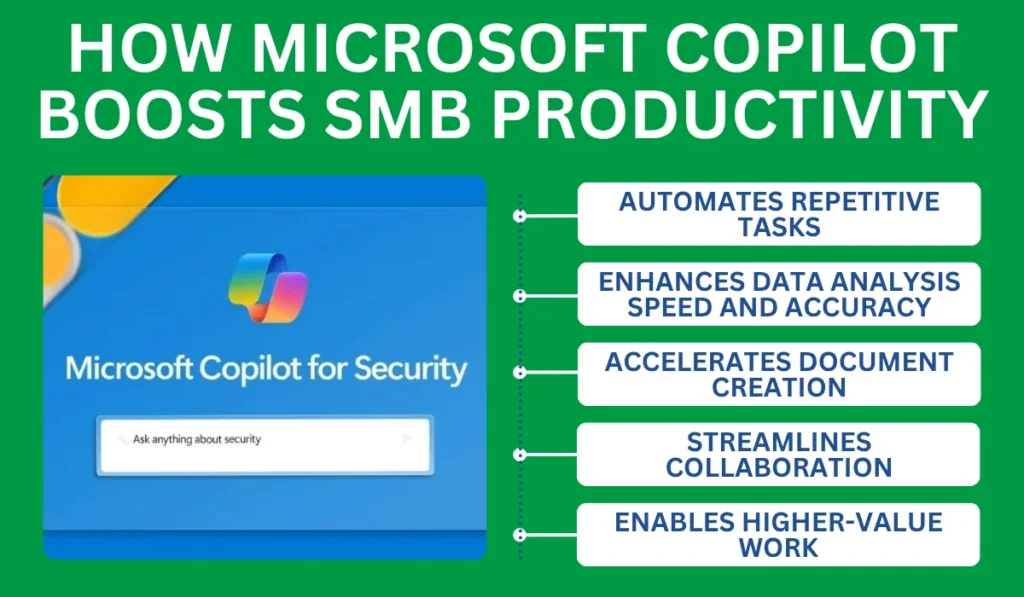
Automates repetitive tasks
Teams save hours weekly on routine tasks, such as drafting emails or summarizing meeting notes. Utilizing AI-powered automation in Outlook, users can generate concise and professionally worded emails in seconds.
Similarly, Copilot within Teams quickly summarizes lengthy meetings, highlighting key points and actionable items. The result: less time on busywork, more time advancing core business objectives.
Enhances data analysis speed and accuracy
Copilot supercharges your data analysis capabilities in Excel and Power BI. SMBs often struggle to manage vast datasets with limited resources. Copilot rapidly interprets complex datasets, generating actionable insights and visualizations almost instantly.
For example, you can quickly command Copilot to analyze quarterly sales data, generating clear, accurate summaries and visual charts to aid swift decision-making.
Accelerates document creation
Creating reports and presentations often takes hours. With Copilot integrated directly into Word and PowerPoint, these tasks become substantially easier and quicker. Copilot in Word helps draft and refine content effortlessly, while Copilot in PowerPoint quickly generates professional presentations complete with relevant visuals and impactful summaries.
Streamlines collaboration
Collaboration is essential for SMB success. Copilot enhances teamwork within Microsoft Teams by creating real-time summaries and highlighting critical conversations. This capability allows team members to stay informed and aligned, even if they miss live meetings. The seamless integration across OneDrive and SharePoint also ensures team members can securely access and collaborate on critical files from any location.
Enables higher-value work
McKinsey and Microsoft’s collaboration highlights how generative AI agents, built using Microsoft’s Copilot Studio, are transforming enterprise workflows by automating complex, cross-functional tasks. Integrating generative AI and related technologies could automate up to 70% of work hours, changing how teams handle tasks day-to-day. This shift enables employees to focus on higher-value tasks, such as strategy, innovation, and customer engagement.
Rather than just reducing manual tasks, Copilot agents act as “virtual workers” capable of running end-to-end workflows in functions like HR, finance, and customer service. By embedding these intelligent agents into daily operations, businesses can free up their human teams to focus on more strategic initiatives while improving efficiency and service quality across the board.
How Microsoft Copilot supports SMB security
Integrates seamlessly with Microsoft’s security infrastructure
Copilot complements Microsoft 365’s existing robust security and compliance framework. This integration ensures enterprise-grade security for SMBs, enabling teams to use AI tools with confidence. Copilot respects existing permission settings and access controls, minimizing data leak risks by ensuring sensitive data remains within authorized environments.
Reduces manual errors
Human errors often lead to significant security risks, including the accidental sharing of data or misconfigured permissions. Copilot reduces risk by automating document creation and data analysis, thereby minimizing human errors. Redefining how businesses operate at scale, automation has become a crucial asset in data protection, especially as human errors are responsible for over 95% of cybersecurity incidents.
Strengthens compliance efforts
Copilot supports rigorous documentation and reporting standards, crucial for regulatory compliance. It generates accurate, thorough documentation automatically, simplifying compliance management processes.
With Copilot’s robust documentation features, SMBs can efficiently address audits and maintain consistent compliance with data protection regulations such as the General Data Protection Regulation (GDPR) and the California Consumer Privacy Act (CCPA).
Offers proactive security features
Utilizing Microsoft Copilot within existing Microsoft environments, SMBs benefit from proactive security enhancements. Copilot alerts users to potential security risks, such as unintended data sharing or compliance issues, facilitating timely intervention and risk mitigation.
Why SMBs choose Keystone Technology Consultants to deploy Copilot
Deploying advanced technologies, such as Microsoft Copilot, requires careful planning and expert execution. Keystone Technology Consultants specializes in providing SMBs with comprehensive guidance and hands-on support for successful Copilot implementations.
Local expertise and Microsoft partnership
As a trusted, local Microsoft 365 partner, Keystone understands the specific challenges and opportunities SMBs face. Keystone’s experts offer personalized strategies, ensuring Copilot is integrated seamlessly into your unique business workflows, optimizing functionality from day one.
Security-first deployment and hands-on training
Security remains paramount for SMBs adopting new technologies. Keystone prioritizes secure deployments, aligning Copilot implementations with existing Microsoft 365 security and compliance policies. Their experts conduct thorough user training, ensuring your team fully understands how to use Copilot securely and effectively.
Ongoing support and optimization
Technology adoption is not a one-time event. Keystone provides ongoing support, helping SMBs continually optimize their Copilot deployments. Regular consultations and assessments ensure businesses get maximum ROI and security from their Microsoft 365 subscriptions. Keystone’s proactive support guarantees that SMBs remain ahead in productivity and compliance.
Free readiness consultation
To help SMBs get started, Keystone offers a free Microsoft Copilot readiness consultation. This consultation includes evaluating your current Microsoft 365 environment, identifying the best Copilot use cases for your business needs, and outlining a tailored deployment plan.
Conclusion
Microsoft Copilot represents a significant shift in how SMBs like yours work, grow, and stay secure. By embedding powerful AI into the Microsoft tools your team already uses, such as Word, Excel, Teams, and Outlook, you can streamline your operations, protect sensitive data, and maximize the value of every workday. Whether you’re on a Microsoft 365 plan or still using Office 365, the benefits are clear: faster decision-making, fewer repetitive tasks, and better collaboration across your business.
From the Copilot app to Studio, and from document creation to smart meeting summaries, Copilot turns your current tools into streamlined systems. It works where you already work and delivers immediate impact.
If you’re serious about working smarter, faster, and more securely, don’t wait. Let’s put Microsoft Copilot to work for your business today.
Book your free Microsoft Copilot readiness consultation now and start transforming the way you work before your competitors do.
FAQs
Is Microsoft Copilot included in Microsoft 365 plans?
No, Copilot is an add-on and not automatically included in standard Microsoft 365 subscriptions. It requires an additional license for full access.
Is Microsoft Copilot secure for handling sensitive business data?
Yes. Copilot adheres to Microsoft 365’s existing security policies and access permissions, ensuring sensitive data remains protected within your organization.
Do I need to install anything to use Microsoft Copilot?
No additional installation is required. Copilot integrates directly into apps like Word, Excel, and Teams through your existing Microsoft 365 environment.